> ## Documentation Index
> Fetch the complete documentation index at: https://r2r-patch-fix-ingestion.mintlify.site/llms.txt
> Use this file to discover all available pages before exploring further.
# Projects
> Interact with deployed projects from the cloud
## Cloud Projects
Upon successful deployment of an R2R application, you will be provided with a unique URL (e.g., [https://sciphi-b30ed103-...YOUR-PROJECT...-qwpin2swwa](https://sciphi-b30ed103-...YOUR-PROJECT...-qwpin2swwa)) that serves as the endpoint for accessing and interacting with your deployed R2R project using the R2R client.
For interested developers, SciPhi provides an open-source implementation of the project dashboard on [GitHub here](https://github.com/SciPhi-AI/R2R-Application), that can be ran locally.
### Overview
Also, as soon as you have started deploying a project you will be able to navigate to it from the SciPhi home page. This will take you to the deployments project overview page at `https://app.sciphi.ai/project/b30ed103-...YOUR-PROJECT...-qwpin2swwa`, shown below.
The project overview page under development. The feature roadmap includes request analytics, resource utilization, and more.
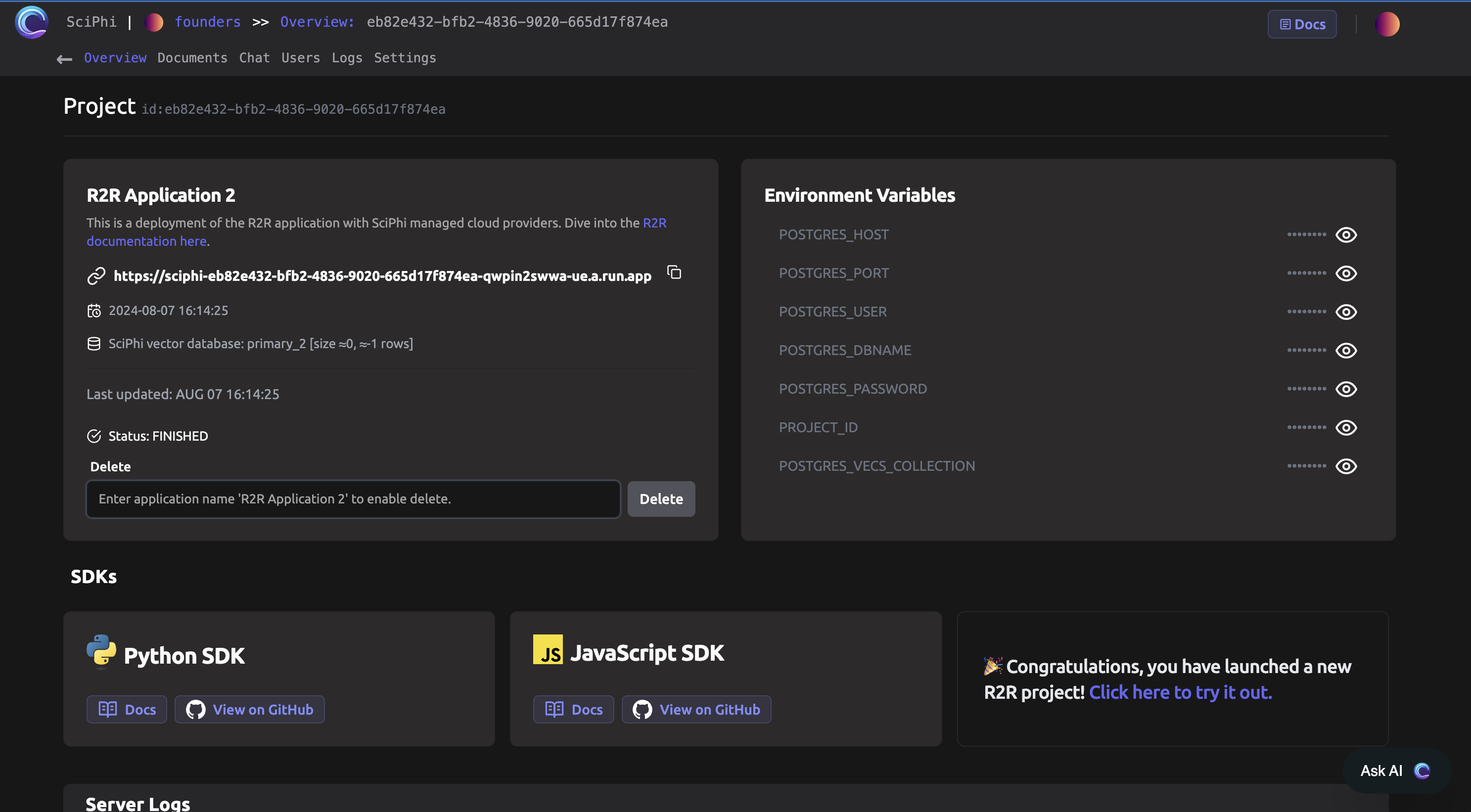 After deployment is complete you can upload documents and chat with your R2R application directly from the cloud application.
### Document Management
The document management page for the project is located at `https://app.sciphi.ai/project/b30ed103-...YOUR-PROJECT...-qwpin2swwa/documents`.
After deployment is complete you can upload documents and chat with your R2R application directly from the cloud application.
### Document Management
The document management page for the project is located at `https://app.sciphi.ai/project/b30ed103-...YOUR-PROJECT...-qwpin2swwa/documents`.
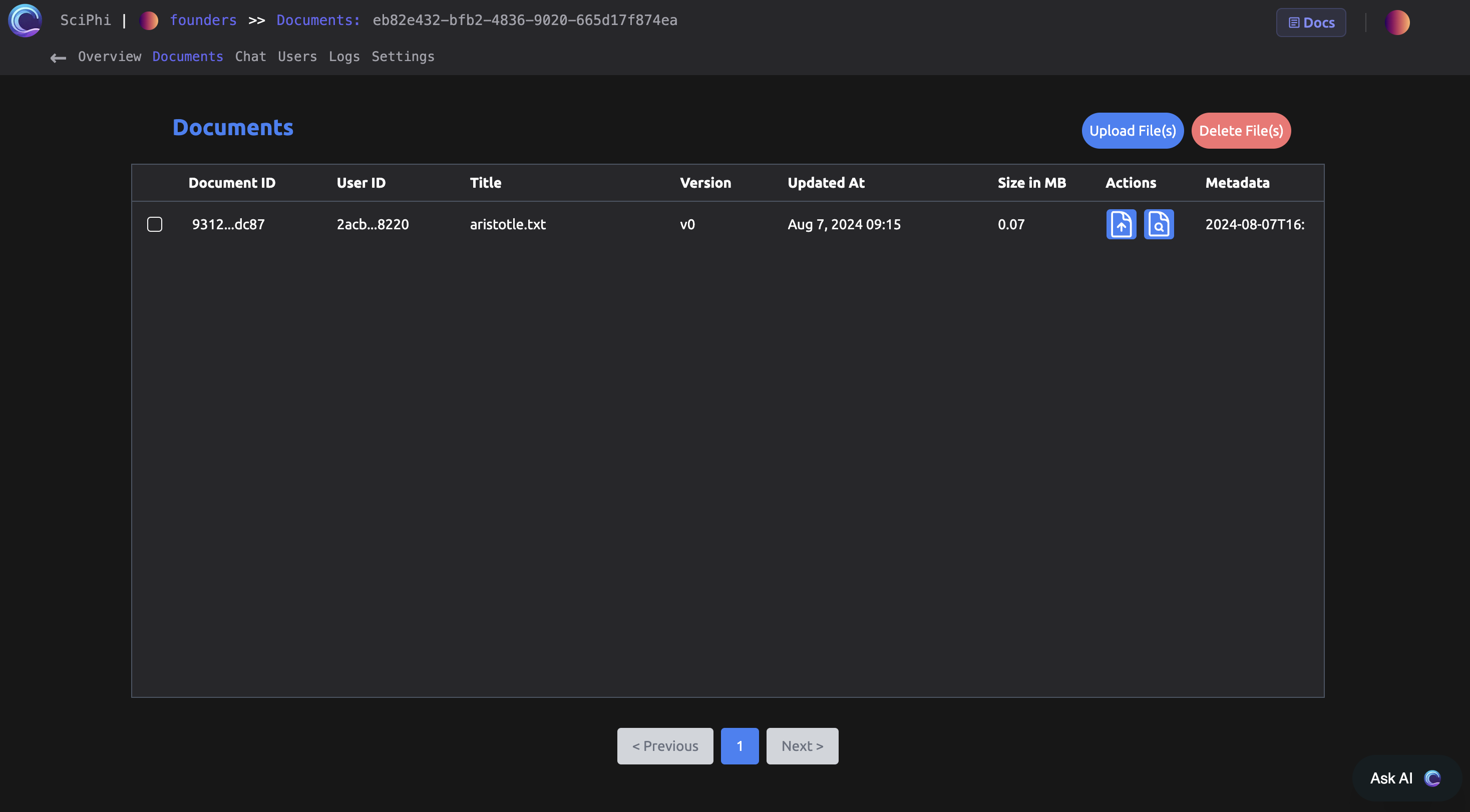 Within this page the administrator can test the upload, update, delete, and other document functionality.
### Chat
SciPhi provides a basic chat interface with your project at `https://sciphi-b30ed103-...YOUR-PROJECT...-qwpin2swwa/chat`.
Within this page the administrator can test the upload, update, delete, and other document functionality.
### Chat
SciPhi provides a basic chat interface with your project at `https://sciphi-b30ed103-...YOUR-PROJECT...-qwpin2swwa/chat`.
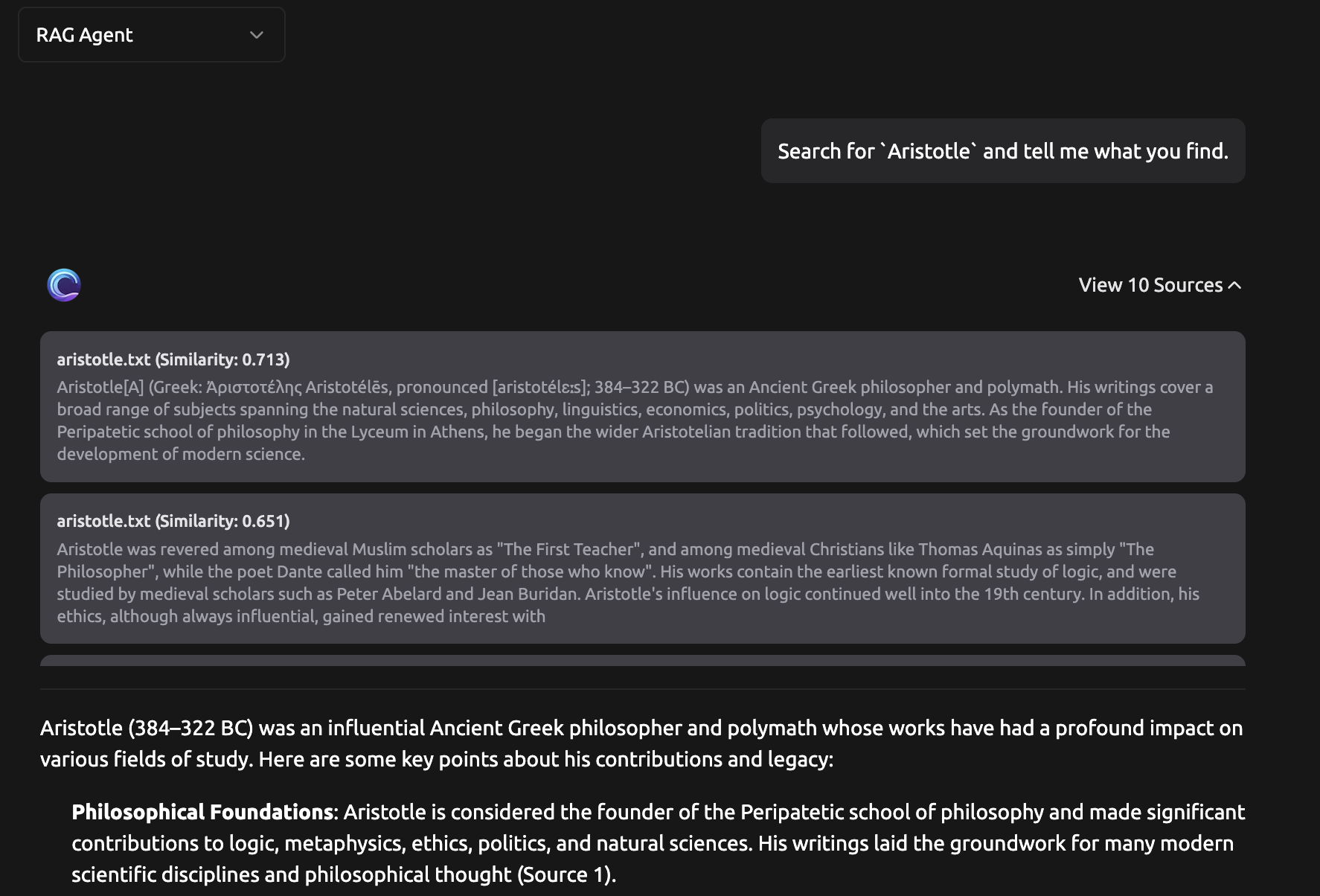
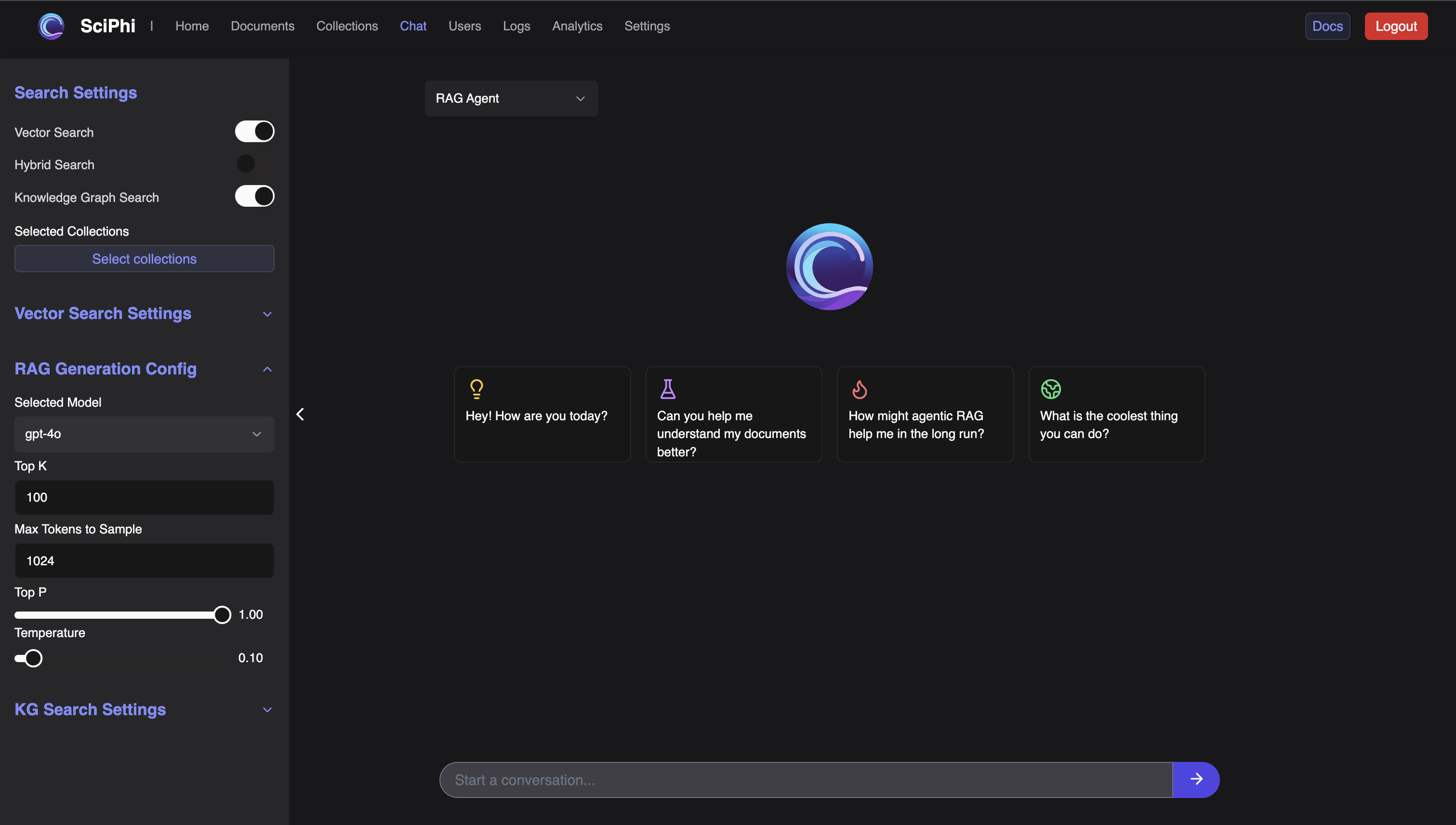 The chat interface is great for prototyping with the agentic RAG system:
 ### Users
Recall that a primary objective of R2R is to help with deploying user-facing applications. The cloud dashboard provides a location to track your users at `https://sciphi-b30ed103-...YOUR-PROJECT...-qwpin2swwa/users`.
### Users
Recall that a primary objective of R2R is to help with deploying user-facing applications. The cloud dashboard provides a location to track your users at `https://sciphi-b30ed103-...YOUR-PROJECT...-qwpin2swwa/users`.
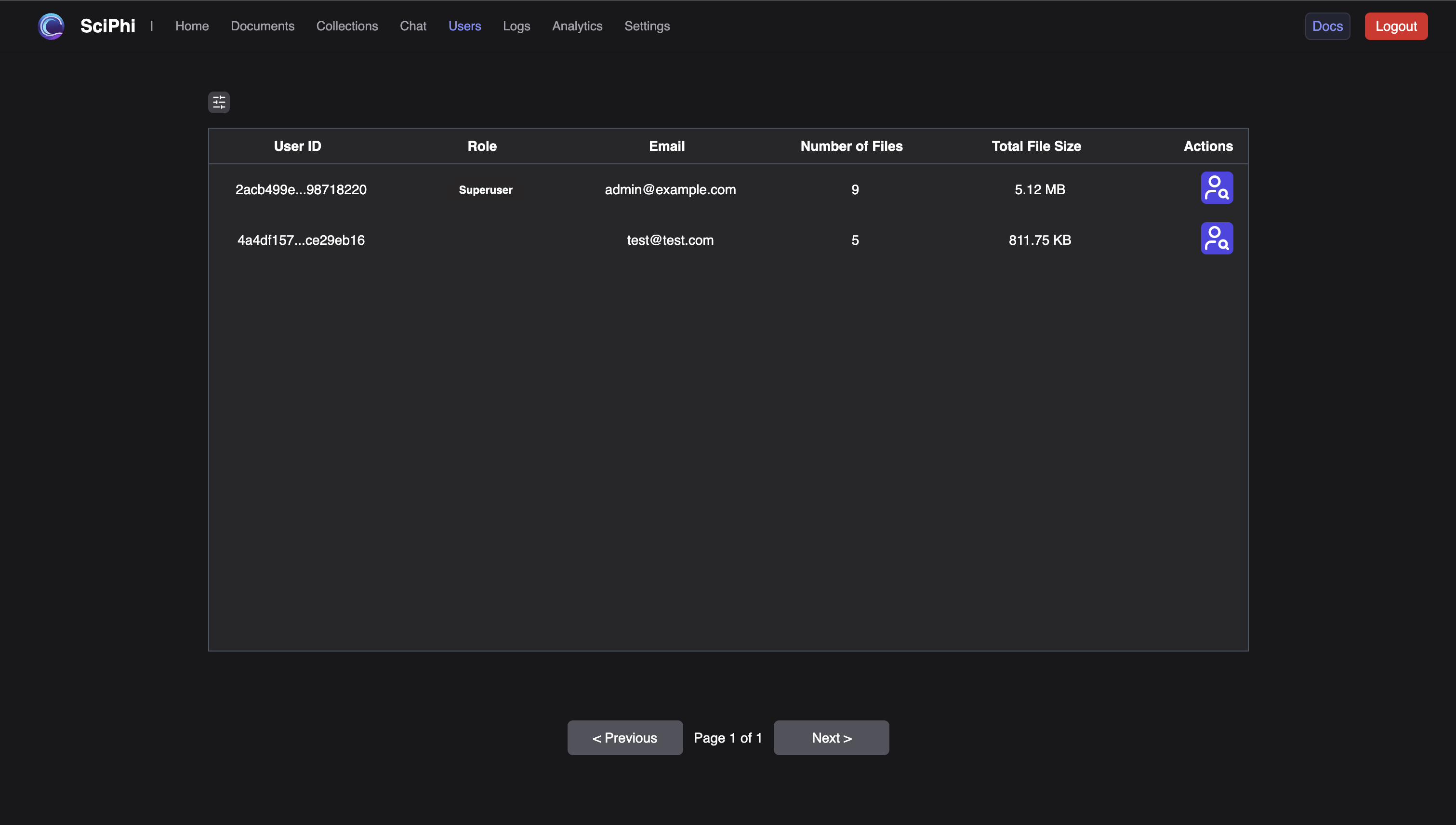 User management features are under devlepment and this table will be synched to authentication information shortly.
### Logs
Every search query and subsequent search results that flow through the R2R system are logged. These logs can be viewed directly from your cloud application.
User management features are under devlepment and this table will be synched to authentication information shortly.
### Logs
Every search query and subsequent search results that flow through the R2R system are logged. These logs can be viewed directly from your cloud application.
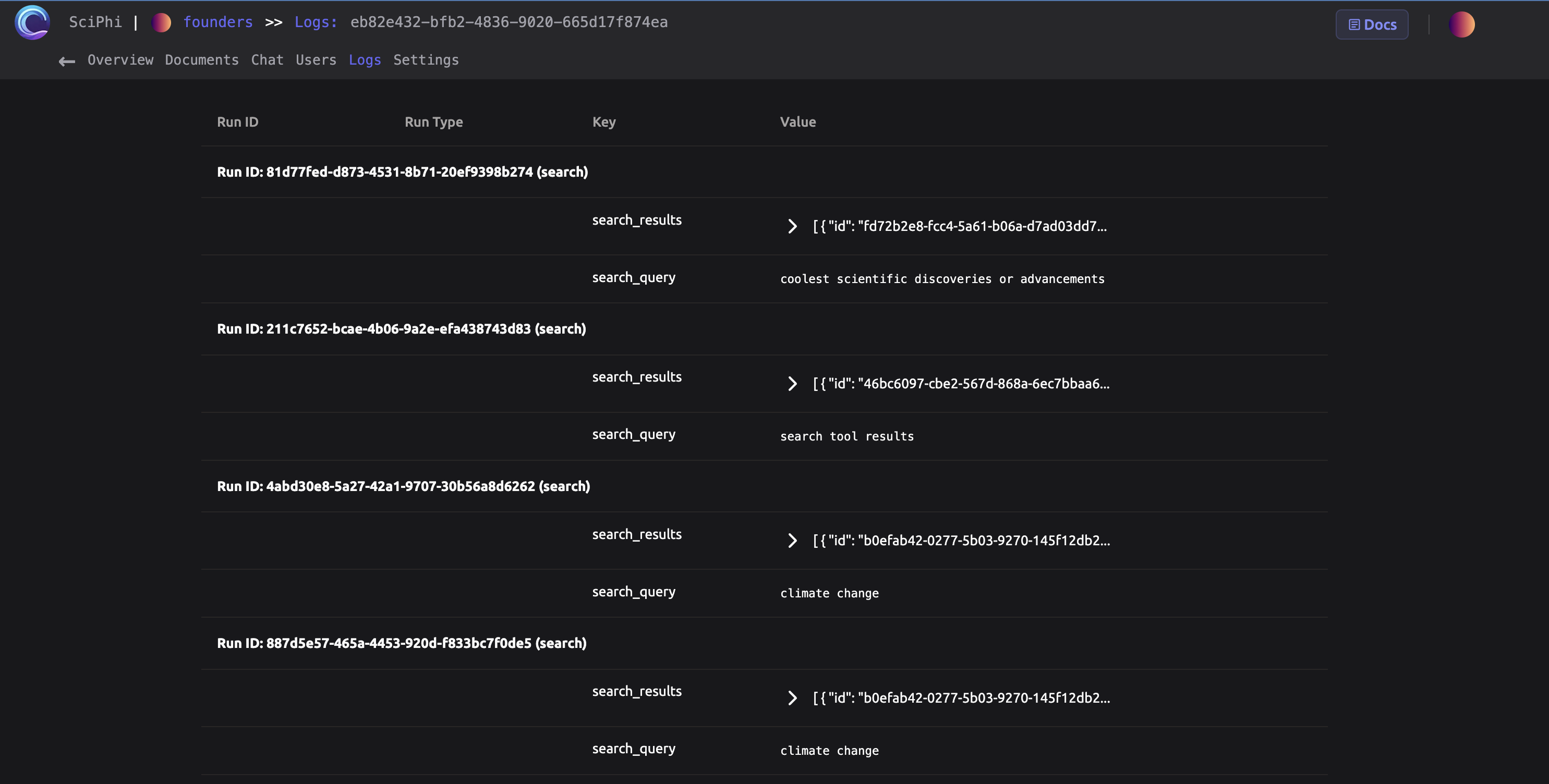 Work is underway to fully log agentic conversations.
### Settings
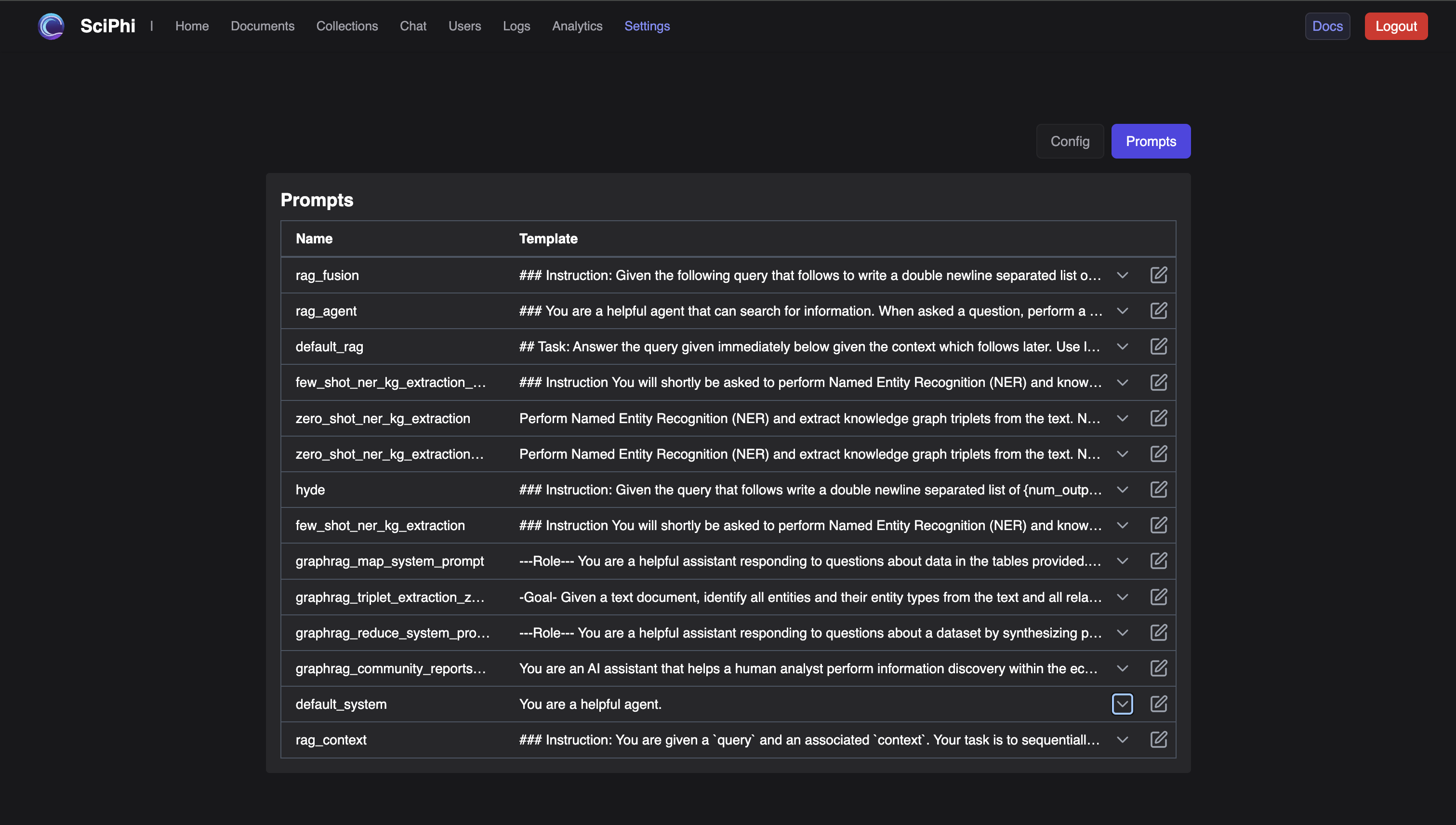
The configuration file for your R2R system as well as editable system prompts can be found at `https://sciphi-b30ed103-...YOUR-PROJECT...-qwpin2swwa/settings`.
Work is underway to fully log agentic conversations.
### Settings
The configuration file for your R2R system as well as editable system prompts can be found at `https://sciphi-b30ed103-...YOUR-PROJECT...-qwpin2swwa/settings`.
 ### Summary
This page provides an overview of interacting with deployed R2R applications on the SciPhi cloud platform. It covers accessing your project via a unique URL, navigating to the project overview page, managing documents, using the chat interface for prototyping, tracking users, viewing logs of search queries and results, and configuring system settings.
### Summary
This page provides an overview of interacting with deployed R2R applications on the SciPhi cloud platform. It covers accessing your project via a unique URL, navigating to the project overview page, managing documents, using the chat interface for prototyping, tracking users, viewing logs of search queries and results, and configuring system settings.